
How to Download and Install the ASIO Driver on Your Windows PC
Install ASIO drivers on Windows 10 by downloading them manually


 2 min. read
  Updated on

In this article, you’ll learn how to quickly download and install the ASIO driver on Windows 10. Having the right ASIO driver is key for smooth, low-latency audio performance and avoiding errors like asio.sys issues.
Let’s get started.
How can I install the ASIO driver on Windows 10?
1. Download ASIO4All driver
- Visit the ASIO4All page.
- Locate the version that you want to use and click to download it.

- Run the setup file.
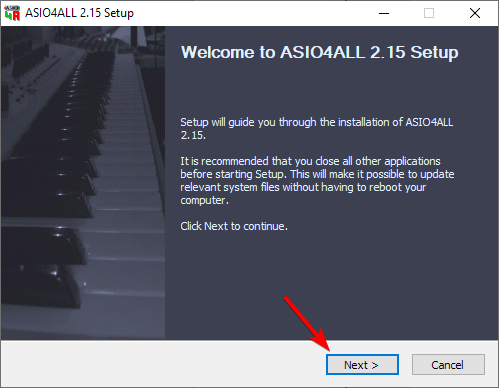
- When the setup file opens, click on Next.
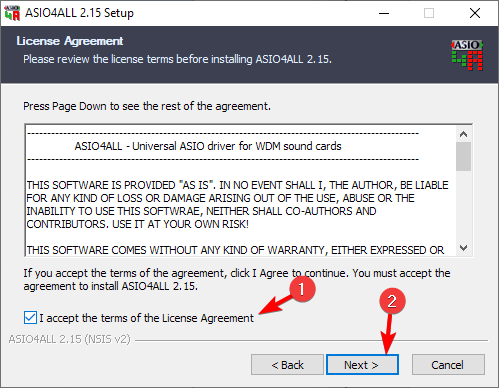
- Accept the terms of service and click Next.
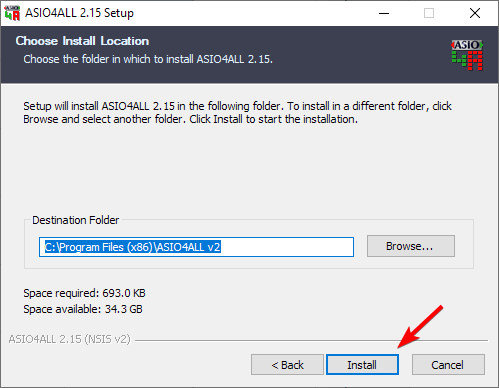
- Select the install location and click Install.
- Wait for the process to finish.
2. Use FlexASIO
- Visit the FlexASIO GitHub page.
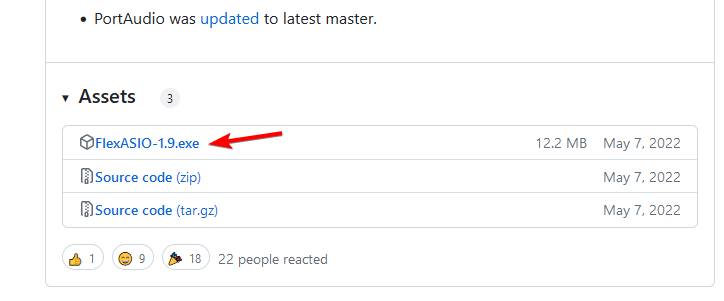
- Now select AlexASIO-1.9.exe to download it.
- Once the file is downloaded, run it.
- Choose the installation location and click Next.
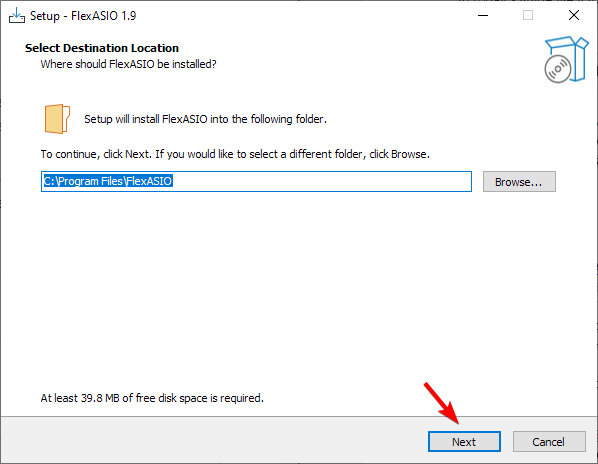
- Check if the installation path is correct and click on Install.
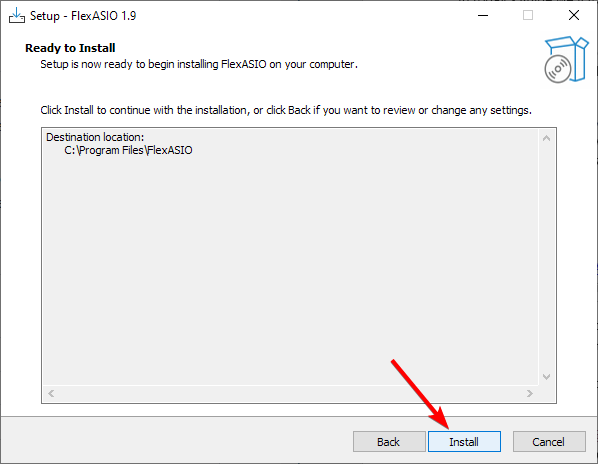
- Follow the instructions on the screen.
3. Use ASIO2WASAPI
 NOTE
NOTE
- Visit the ASIO2WASAPI GitHub page.
- Next, go to Code and choose Download ZIP.
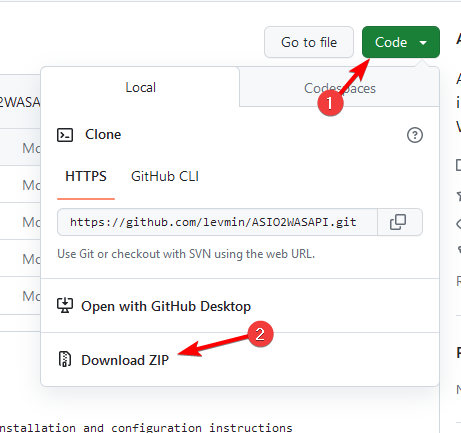
- Once the ZIP file is downloaded, open it and run the Install file.
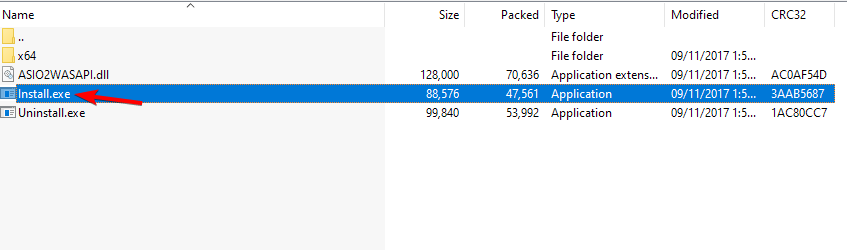
- You’ll get a message saying that the driver was installed successfully.
As you can see, downloading and installing ASIO drivers is pretty simple, and you can install them just like any other application.
If you found this guide useful, we also have a special guide on how to download and install the ASIO driver on Windows 11, so be sure to check it out.
And if you run into any issues, you might want to read our troubleshooting tips for ASIO.sys errors and how to fix asio3.sys problems.
Have you ever used an ASIO driver before? Let us know in the comments below.

Read our disclosure page to find out how can you help Windows Report sustain the editorial team. Read more


Improve this guide


User forum
1 messages