
ESPN Not Working on Your Device? Quick Fix Guide


 3 min. read
  Updated on

If ESPN is not working, you might run into buffering, login errors, or provider issues. This guide shows you the easiest ways to get it running smoothly again.
What can I do if ESPN is not working?
Table of contents
1. Fix your connection
- Run a speed test to confirm you have at least 5 Mbps for HD streaming.

- Restart your router and modem to refresh the connection.
- Switch to a wired Ethernet connection if possible.
- Reconnect your device to the Wi-Fi network.
If ESPN+ still buffers after these steps, the issue could be related to streaming servers or device performance. You can follow a full guide on how to stop ESPN+ buffering for more detailed solutions.
2. Update and restart the app
- Open your device’s app store and check if ESPN has an update.
- Download and install the latest version.

- Restart the app after updating.
- If errors continue, uninstall and reinstall the app completely.
3. Clear cache and data
- On mobile, go to Settings > Apps > ESPN > Storage.
- Select Clear Cache and then Clear Data.
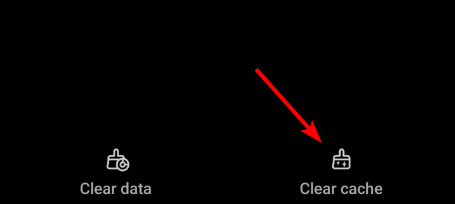
- On browsers, open Settings and clear cookies and cache.
- Restart your device and relaunch ESPN.
4. Fix provider login problems
- Open the ESPN app or website.
- Select Log in with TV Provider.
- Choose your provider from the list.
- Enter your correct username and password.
If you are stuck on a login loop or your provider is not recognized, the fix usually involves re-linking your account. You can find more detailed steps in this guide on how to fix ESPN asking for a TV provider.
5. Switch devices or contact support
- Try opening ESPN on another device or browser.
- Use Chrome, Firefox, or Edge for the best compatibility.
- If problems persist, contact ESPN Support directly.
- Provide your device type, account info, and the error message for quicker help.
You can also check our FXNOW activate guide to make sure your streaming apps are set up correctly before troubleshooting further.
FAQs
It usually happens because of slow internet speeds or overloaded servers.
Yes, live ESPN channels need a TV provider login. ESPN+ only requires a subscription.
Yes, clearing cache, updating the app, or restarting your device often works before reinstalling.

Read our disclosure page to find out how can you help Windows Report sustain the editorial team. Read more


Improve this guide


User forum
0 messages