
FedEx App Not Working? 5 Quick Fixes to Try


 3 min. read
  Published on

If your FedEx app is not working, the issue is usually caused by network errors, outdated files, or temporary glitches. Follow these solutions to get it running again.
What can I do if the FedEx app is not working?
Table of contents
1. Fix connectivity problems
- Check if your Wi-Fi or mobile data is active and stable.
- Switch between Wi-Fi and mobile data to test the connection.
- Restart your router if the network seems unstable.
If the problem happens when tracking a shipment, you may encounter errors like missing IDs. In that case, check this FedEx tracking number not found guide for possible fixes.
2. Restart and refresh the app
- Close the FedEx app completely from recent apps.
- Restart your phone to clear temporary glitches.
- Reopen the app and test it again.
3. Clear cache and update
- Go to Settings > Apps > FedEx.
- Select Storage and clear cache and data.
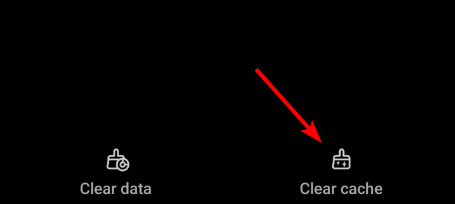
- Check the App Store or Google Play for updates.
- If needed, uninstall and reinstall the app.
When you manage delivery schedules, you might notice errors even after updates. If that happens, follow this FedEx Delivery Manager not working guide for step-by-step solutions.
4. Check system compatibility
- Update your phone’s operating system to the latest version.

- Confirm that the FedEx app supports your current OS version.
5. Use FedEx on the web
- Open your mobile or desktop browser.
- Go to the official FedEx website.
- Sign in and manage deliveries directly online.
For shipment disputes or claims, you may need to skip the app and use FedEx online tools. This FedEx claim status quick guide explains how to track and manage claims easily.
FAQs
It often happens due to poor internet, corrupted app cache, or outdated versions. Restarting the app and clearing cache usually helps.
Yes, updating ensures compatibility with the latest OS and fixes known bugs.
Yes, you can always use the official FedEx website to track and manage deliveries.
Reinstall the app and check if your device software is updated. If it persists, use the web version until a fix is released.

Read our disclosure page to find out how can you help Windows Report sustain the editorial team. Read more


Improve this guide


User forum
1 messages