
Flipp App Not Working? Easy Fixes You Should Try


 3 min. read
  Updated on

If the Flipp app is not working, it can be annoying when you just want to check local deals and flyers. Try these simple steps to get it back on track.
How to fix Flipp app if it’s not working?
Table of contents
1. Check your Internet connection
- Open a browser and load any website to confirm your connection works.
- If you’re on Wi-Fi, move closer to the router.
- Switch between Wi-Fi and mobile data to see if performance improves.
- Restart your router by unplugging it for 30 seconds and plugging it back in.
- Test if the Flipp app works again.
2. Restart the app
- Close the Flipp app completely.
- On iPhone, swipe up from the bottom and remove the app from the app switcher.
- On Android, open recent apps and swipe the Flipp app away.
- Wait a few seconds before reopening.
- Open the app and check if it loads properly.
3. Clear app cache and data
- On Android, go to Settings and select Apps.
- Find and tap on Flipp.
- Open Storage.
- Tap Clear Cache.
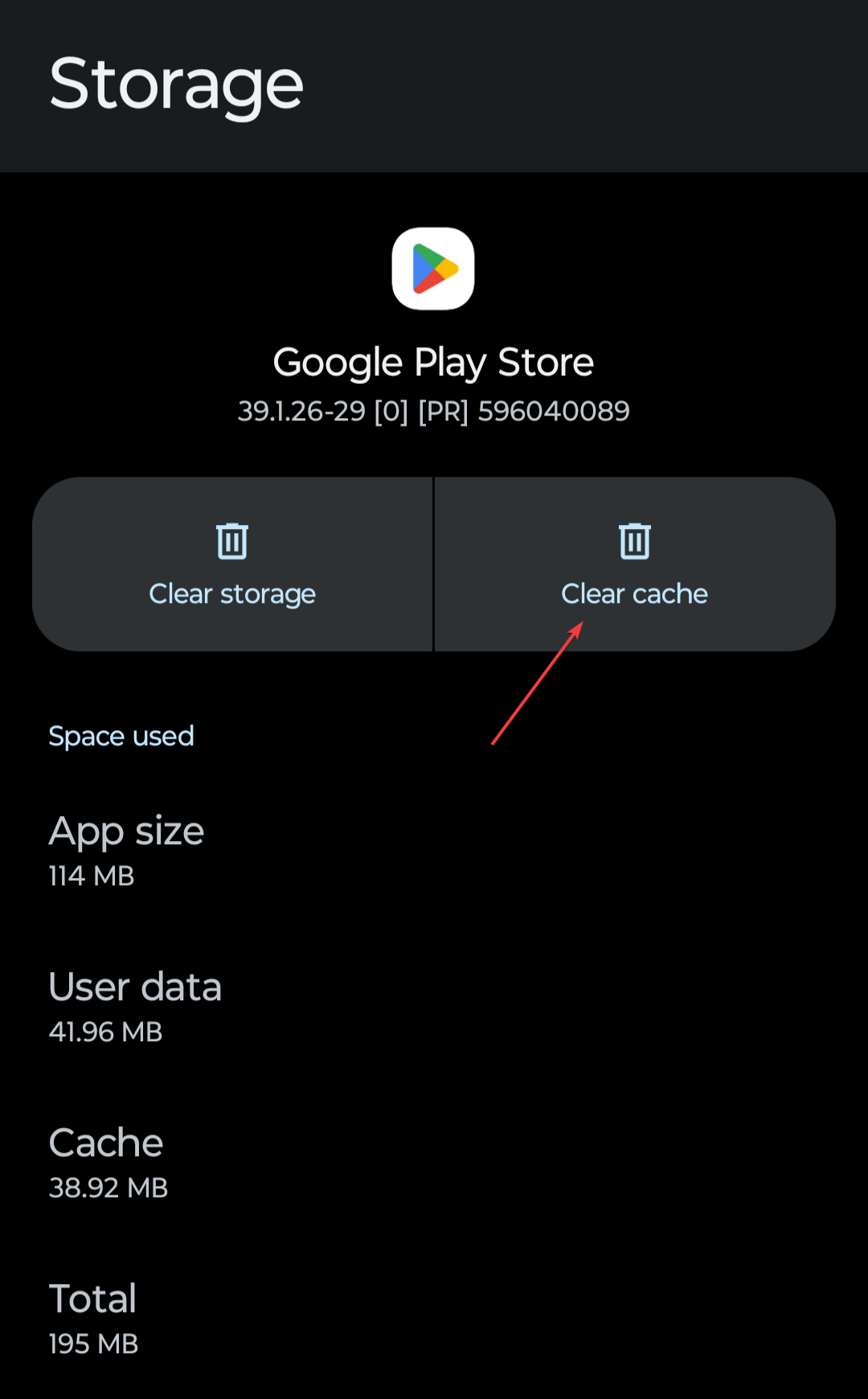
- If the issue persists, tap Clear Data. On iPhone, uninstall and reinstall instead.
For a similar receipts app, check our guide on Shoppix app not working.
4. Update the app
- Open the Google Play Store or Apple App Store.

- Search for Flipp.
- If an update is available, tap Update.
- Wait until the update installs.
- Reopen the app and test it again.
5. Reinstall the app
- Locate the Flipp app on your device.
- Press and hold the icon and select Uninstall or Remove.
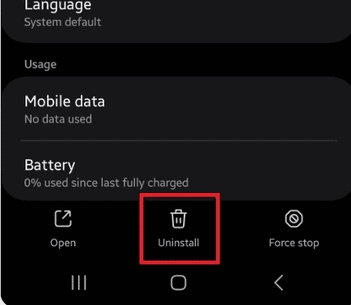
- Open your app store.
- Search for Flipp and tap Install.
- Log back into your account after installation.
Flipp can stop working for several reasons, from poor internet to outdated app versions. By following the steps above, you’ll often fix the issue quickly and get back to browsing local deals without interruptions.
If you want more options to save while shopping, you can explore some of the best Windows shopping apps. And if you’re interested in setting up your own store, this guide on the best software to sell online covers everything you need to know.
For food ordering apps, you can also follow this guide to fix the McDonald’s app not working, which uses the same connection, cache, update, and reinstall steps for iPhone and Android.

Read our disclosure page to find out how can you help Windows Report sustain the editorial team. Read more


Improve this guide


User forum
0 messages