
6 Best Data Recovery Software for Windows 10 in 2026
Easily recover your data with these great apps


 8 min. read
  Updated on

Data loss is a very common occurrence these days, but if you’re on Windows 10, today we’re going to show you the best data recovery software that can save your files.
What is the best data recovery software for Windows 10?
Table of contents
Stellar Data Recovery Premium – Target-specific recovery

Stellar Data Recovery is one of the leading software in the data recovery industry. It is a program that is specially designed for Windows, and it is widely supported on various Windows OS, from Windows 10 to Windows XP.
In terms of reliability, ease of use, and Windows compatibility, Stellar Recovery conveniently stands out as one of the best Windows 10 data recovery software in the market.
This software is optimized to run all forms of data recovery. Specifically, it can be employed to recover lost partitions and files on hard drives, USB drives, and memory cards among others.
Furthermore, it supports virtually all file platforms, including NTFS, FAT, FAT16, FAT32 EXT, ExFAT, and others.
Key features of Stellar Data Recovery include a dual scan option (deep and quick scans), cross-platform support (file systems), target-specific recovery, 1GB recovery capacity, and more.
It also creates Bootable USB Data Recovery Media for crashed systems and facilitates data recovery from BitLocker encrypted storage devices.
Other worth mentioning facts about Stellar are functionalities to recover data from all Windows devices like USB media, burnt CD/DVD, or files such as MS Office documents.

Stellar Data Recovery
The best file recovery tool on the market is now available at a discount price for a limited time only.Kernel Data Recovery – Lightweight and efficient

Yet another entry on our list that perfectly balances out ease-of-use, efficiency, and a lightweight feel to it. Kernel Data Recovery offers a wide variety of recovery tools that anyone can use.
Fortunately, it doesn’t sacrifice accessibility for efficiency since it can still recover inaccessible data from corrupt FAT16, FAT32, NTFS, and NTFS5 partitions of Windows systems.
Additionally, it supports recovery from removable drives, such as USB, IDE, EIDE, SCSI, SATA, PEN, or ZIP drives.
Here are some of the perks of using Kernel Data Recovery:
- Great for recovering all kinds of files
- You can try it before you buy it
- Lightweight and efficient
- Easy-to-use
This solution also holds a full range of services to recover your lost data in minutes, such as files filter for multiple data recovery, empty recycle bin recovery, video repairing, or removable drive recovery.
In conclusion, using this data recovery tool helps you to stay protected against lastingly file loss, supporting critical conditions regarding lost files on Windows, Mac, iPod, or UNIX.

Kernel Data Recovery
Easily recover any deleted files and folders with the help of this user-friendly recovery tool.Recoverit – Multi-system file support

Recoverit from Wondershare is another top-rated recovery tool, which is highly suitable for recovering all forms of lost or deleted data from Windows 10.
The software is cross-compatible with both Windows and Mac OS. For Windows users, it is supported on all Windows OS between Windows XP and Windows 10.
Recoverit can identify and recover up to 1000 file formats, including documents, audio, videos, messages (emails), photos, and so on.
Furthermore, aside from internal file recovery, Recoverit is able to recover deleted or lost files from external hard drives, USB drives, RAID, Micro SD cards, digital cameras, and even smartphones among others.
Other notable features of Recoverit include fast recovery speed, Multi-system file support (FAT, exFAT, NTFS/NTFS5, ReFS, HFS+, and others), deep/quick scan option, and WinPE Bootable media tech support.
Recoverit is widely regarded as a free Windows 10 data recovery software. However, it is also available in premium editions, which offer more advanced features (including unlimited recovery storage).
It’s worth mentioning that software like this is capable of video recovery, so you can rejoice in your lost HD, 4K, or 8K videos.

Recoverit
Let Recoverit identify and recover all forms of lost or deleted data without any effort.Disk Drill – Customizable scan options

Disk Drill is another top Windows 10 data recovery software. It is an advanced recovery tool, which is capable of recovering data from internal and external storage media, including hard disks, SD cards, flash drives, media players, and so on.
The program is compatible with all Windows versions between Windows Vista and Windows 10. There is also a separate version for Mac OS users.
Disk Drill supports multiple file platforms; hence, there is an avenue to recover every type of file. Basically, it is compatible with prominent file platforms like NTFS, HSF+, EXT, EXFAT, FAT32, and so on.
So, irrespective of the format(s) of your lost files, you can easily recover them, without hassle. In other words, Disk Drill is able to identify and recover over 300 different types of video, music, document, or application files.
Like most prominent recovery tools, Disk Drill scans for lost/damaged/corrupt files (upon command) and swiftly locates the recoverable ones.
There is, however, limited recovery storage available, with a capacity of 500MB. Other key features of Disk Drill include customizable scan options, multi-platform file support, and flexible recovery storage (mobile and fixed.
Disk Drill offers three pricing editions – Basic, Pro, and Enterprise. Do note that the basic (most popular) version is offered for free.

Disk Drill
Advanced recovery tool that is capable of recovering data from both internal and external storage media.DoYourData Recovery Pro – User-friendly interface

DoYourData Recovery Pro is the most powerful data recovery software tool that you can find for the task. There’s no wonder that it is appreciated by users worldwide for its simple design and efficiency.
That’s what this tool actually brings to the table: quick recovery of deleted, formatted, or inaccessible data from computers, laptops, digital, or other storage media.
And if you cannot find all lost files after a quick scan, rest assured that clicking Advanced Recovery will turn things in your favor once again. It will deeply scan the hard drive and identify all recoverable files with ease.
DoYourData Recovery Pro key features that you are about to enjoy:
- Full Windows 10 data recovery solution
- Easy-to-use interface
- Supports both quick scan and deep scan
- Recovers lost files from deleted or lost partition
- Efficiency even after erasing the recycle bin
Additionally, this software is capable of disk cloning of the HDD and SDD, powerful data erasure, Mac360 cleaning feature, and more.
Prosoft Data Rescue 5 – Unlimited drive recovery
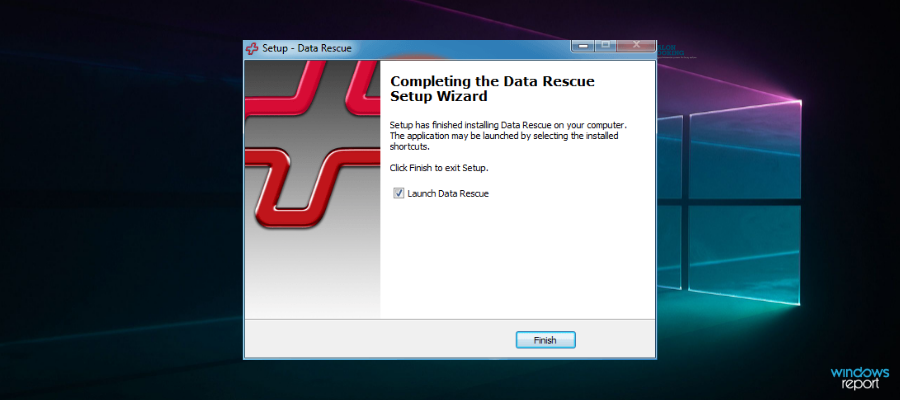
Prosoft Data Rescue 5 is the ingenious production of Prosoft Engineering Inc. – a leading digital firm located in the US.
This recovery software is specially designed for modern Windows PCs (and Macbooks), with support for Windows 10/8/7. It can be used to recover more than 100 different types of files.
Prosoft Data Rescue 5 is designed to, not only recover lost files on Windows computers but also recover deleted or corrupted files from external storage devices like Flash drives, SD cards, CF cards, and others.
Recovery of files, with this software, is in three basic steps – File scanning, recovery preview, and actual recovery.
Some of the core features of this Windows 10 data recovery software include an Optimized scan engine, File Recovery preview, Time machine compatibility, and Unlimited search fields (advanced file search).
More so, you can make the most of it using unlimited drive recoveries, secure drive erasing, and a professionally-looking interface. It’s possible as well to run a fast scan before the recovering data process.
FAQs
Yes, reputable tools are read-only during scans, so they do not modify the source drive.
Often yes. Stop using the drive immediately and run a scan to avoid overwriting the deleted data.
Many tools can find lost partitions and reconstruct file tables. Results vary based on how the drive was formatted and subsequent use.
Data loss is increasingly common today, whether from accidental deletion, system crashes, file corruption, or hardware failure. Even careful users can lose important documents, photos, or videos without warning.
To stay protected, keep regular backups on a separate drive or a trusted cloud service. If you’re using an older OS, see our guides on data recovery software for Windows 7 and data recovery software for Windows 8 for recovery options tailored to those systems.
Data loss can affect your USB flash drive, so don’t miss our guide on data recovery software for USB drive and learn how to restore lost files.
Nevertheless, in case you happen to lose some files (with no backup), we have outlined some of the best recovery solutions which can easily be employed to recover any lost or corrupted file on Windows PCs.
If you’re not a fan of third-party or expensive solutions, we also have a great guide on how to use Windows File Recovery that will help you achieve similar results.

Read our disclosure page to find out how can you help Windows Report sustain the editorial team. Read more


Improve this guide


User forum
0 messages